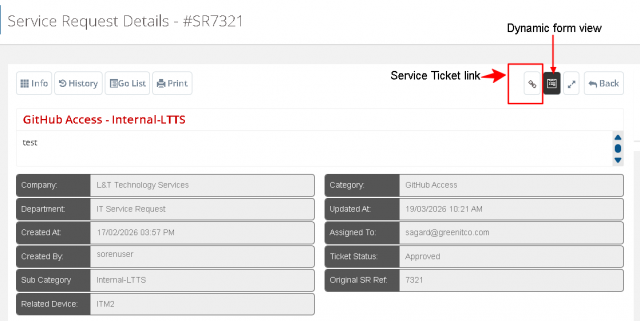
CR For GitHub
When Creating the Service Request
Scenario 1
When user raise the fresh request without any active ticket for GitHub Access
Case 1: When user raise the request for GitHub access
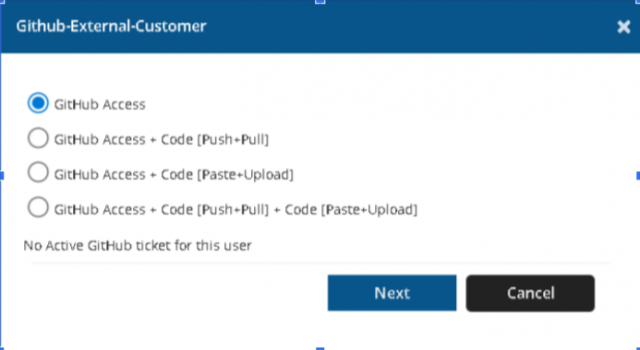
When a user submit the request then request send to approver for approval. If the approver approves the request and converted to the ticket, assigned to technician then technician will provide the GitHub Access to that user.
Renewal process will be the same as the old request.
Case 2: When user raise the request for GitHub + Code [ Push + Pull ]
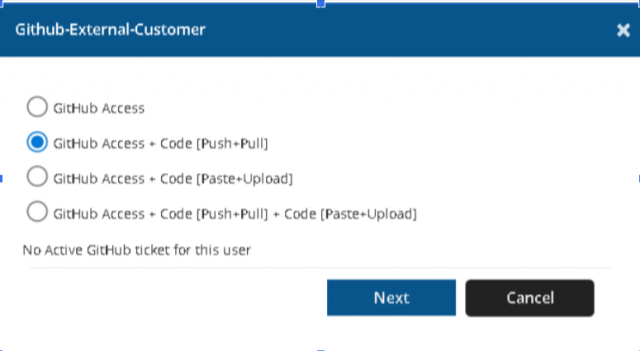
When a user submit the request then request send to approver for approval. If the service request is approved by the approver and converted to ticket, assigned to technician and technician it provides the access of GitHub + Code [Push + Pull] to that user.
Renewal process will be the same as the old request.
Case 3: When user is raise the request for GitHub + Code[Paste + Upload]
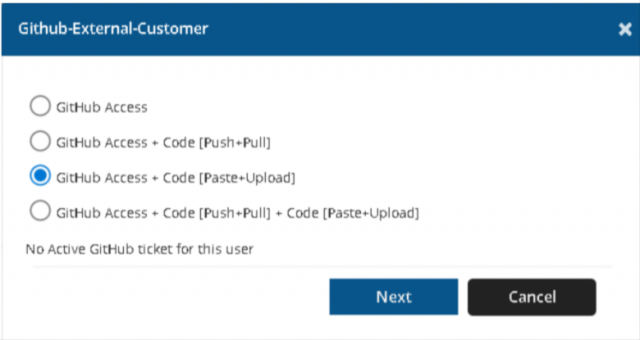
When a user submit the request then request send to approver for approval. If the service request is approved by the approver and converted to ticket, assigned to technician and technician it provides the access of GitHub + Code[Paste + Upload] to that user.
Renewal process will be the same as the old request.
Case 4: When user is raise the request for GitHub + Code [Push + Pull] + Code[Paste + Upload]
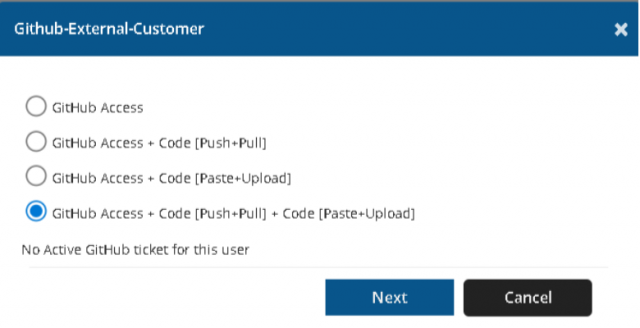
When a user submit the request then request send to approver for approval. If the service request is approved by the approver and converted to ticket, assigned to technician and technician it provides the access of GitHub + Code [Push + Pull] + Code[Paste + Upload] to that user.
Renewal process will be the same as the old request.
Scenario 2: When GitHub Access is already existing Case 1: When user raise request for Code [Push + Pull] , existing of GitHub Access
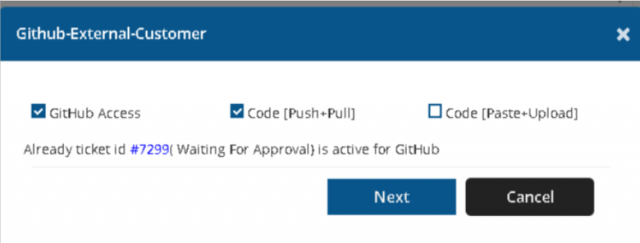
Here in this form GitHub access is disabled because GitHub Access request is already created in ticket id #7299 so, users check the checkbox Code[Push + Pull]. In this case we are talking about GitHub + Code[Push + Pull]. When a user raises the request of Code[Push + Pull] existing on GitHub then request send to approver. If the approver approved the request and it was converted to ticket and assigned to technician. When technicians give the access then it validates the update of the access of GitHub access according to this ticket access end date . System display the message to technician “Already there is ticket for GitHub #7299 expiring on date(end date) , kindly update the GitHub portal as per new end date”. When technician update the dates on GitHub portal and provide the access then system automatically revoke the reference ticket(#7299) and update the end date as the resolve date of the new ticket in the old ticket and resolve it by system.

Renewal will be created for GitHub + Code[Push + Pull] and the renewal process will be the same as the old request.
Case 2: When user is raise the request for Code[Paste + Upload], existing of GitHub Access
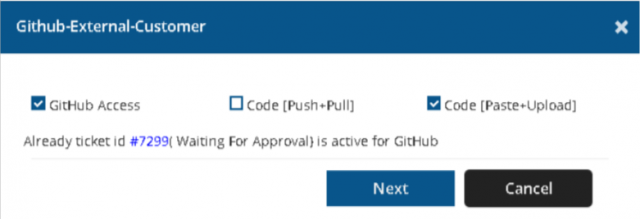
Here in this form GitHub access is disabled because GitHub Access request is already created in ticket id #7299 so, users check the checkbox of Code[Paste + Upload].
In this case we are talking about GitHub + Code[Paste + Upload]. When a user raises the request of Code[Paste + Upload] existing on GitHub then request send to approver. If the approver approved the request and it was converted to ticket and assigned to technician. When technicians give the access then it validates the update of the access of GitHub access according to this ticket access end date . System display the message to technician “Already there is ticket for GitHub #7299 expiring on date(end date) , kindly update the GitHub portal as per new end date”. When technician update the dates on GitHub portal and provide the access then system automatically revoke the reference ticket(#7299) ,update the end date as the resolve date of the new ticket in the old ticket and resolve it by system.

Renewal will be created for GitHub + Code[Paste + Upload] and the renewal process will be the same as the old request. Case 3: When user is raise the request for Code[Push + Pull] and Code[Paste + Upload], existing of GitHub Access
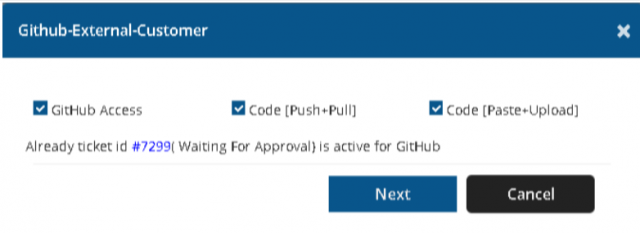
Here in this form GitHub access is disabled because GitHub Access request is already created in ticket id #7299 so, users check the checkbox of Code[Push + Pull] and Code[Paste + Upload].
In this case we are talking about GitHub Access + Code[Push + Pull] & Code[Paste + Upload]. When a user raises the request of Code[Push + Pull] & Code[Paste + Upload] existing on GitHub then request send to approver. If the approver approved the request and it was converted to ticket and assigned to technician. When technicians give the access then it validates the update of the access of GitHub access according to this ticket access end date . System display the message to technician “Already there is ticket for GitHub #7299 expiring on date(end date) , kindly update the GitHub portal as per new end date”. When technician update the dates on GitHub portal and provide the access then system automatically revoke the reference ticket(#7299), update the end date as the resolve date of the new ticket in the old ticket and resolve it by system.

Renewal will be created for GitHub Access + Code[Push + Pull] and the renewal process will be the same as the old request. When service request is created and system send to approver (IS Approver)
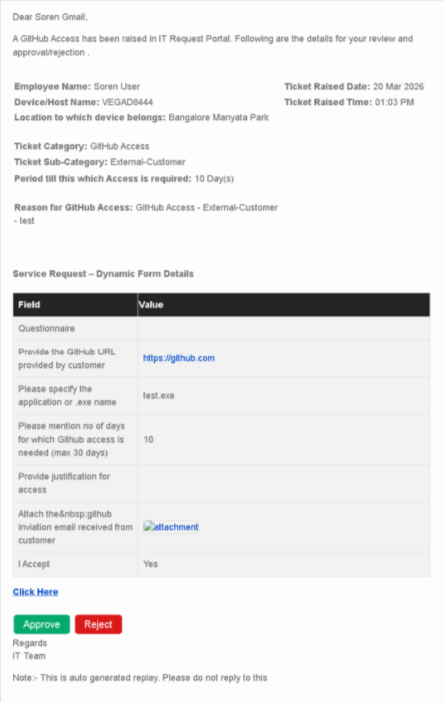
When First Approver approve the service request then system send the approval invitation to another approver
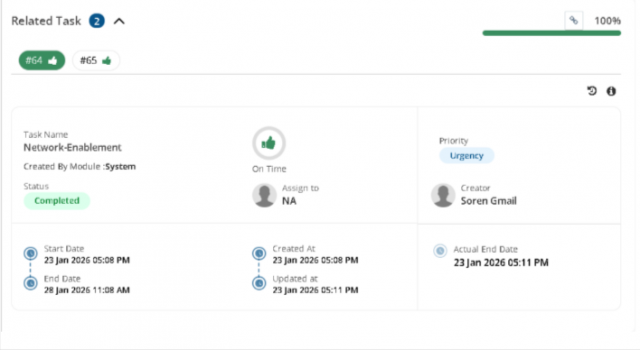
The above screenshot is a related task then the user raises the request for github and code[Push + pull] then 2 tasks will be created .
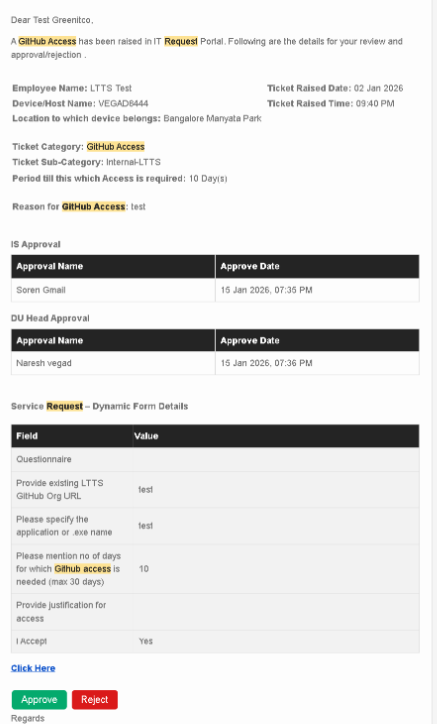
When Approver want to approve
Approver goto the server tickets and under this click on service requests and under this click on My Pending Approvals.
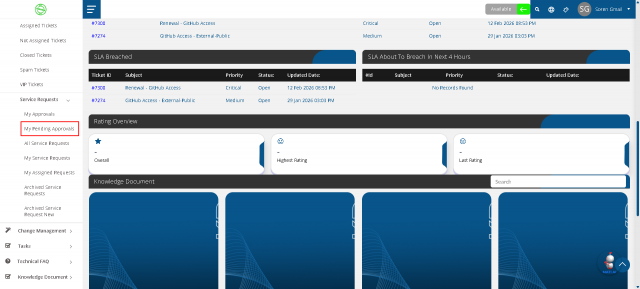
Once approver click on this and open this pending approval lists.
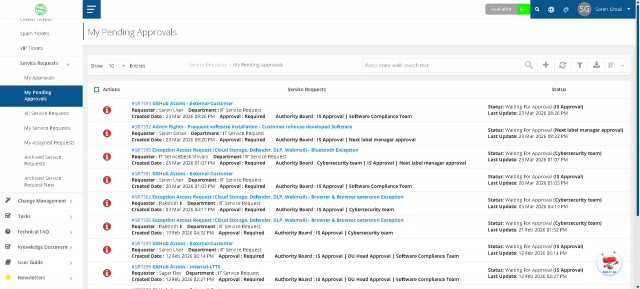
When approver want to approve the service request then approver click on that then open the service request detail page.
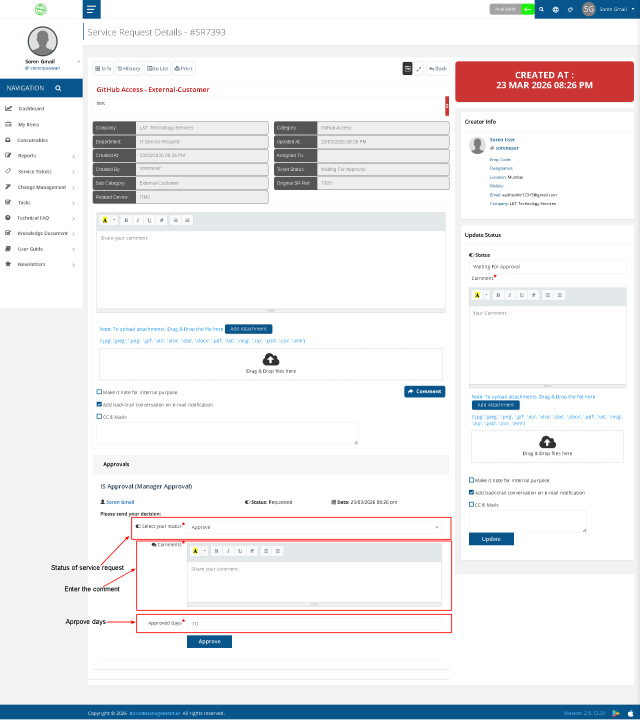
In the above screenshot approver go to the approve section where approver approve or reject the service request. In this 3 fields as below Select your status =>Where approver select the status approve/reject Comments => Where approver enter the comment for approve or reject Approved days => Where approver enter the approve days for how many days for given to the access.
Once approver approve the service request and enter the approve days for access.
Once the service request approved and convert to service ticket.