How to request Software Deployment ?
To request a new software deployment from the list.
To request a new Software Deployment
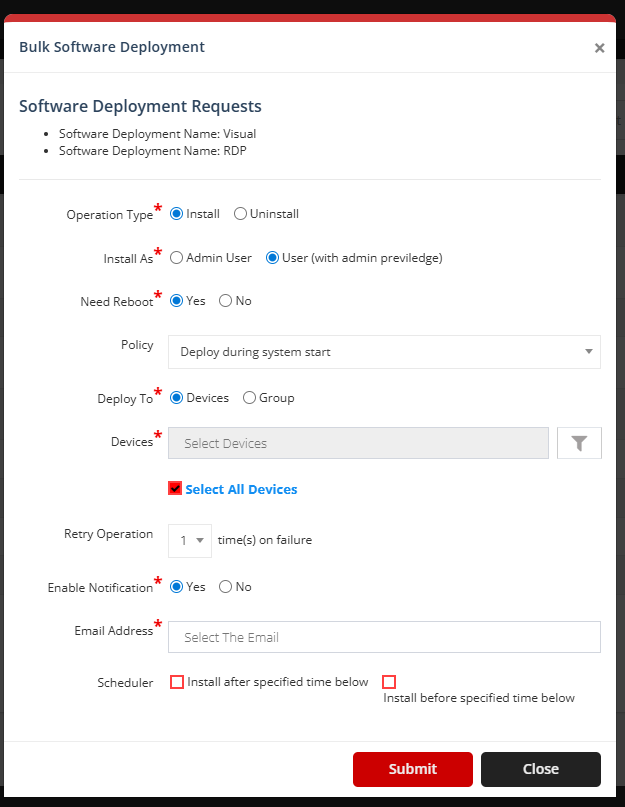
Go to the left sidebar and select Patch Management >Software Deployment > Click on the plus icon > Bulk Software Deployment > Click on Submit.

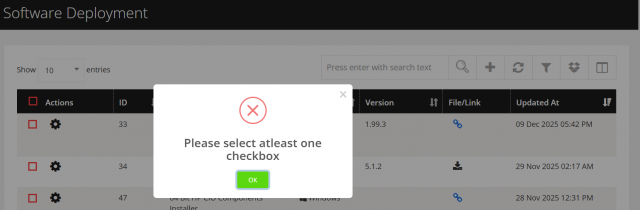
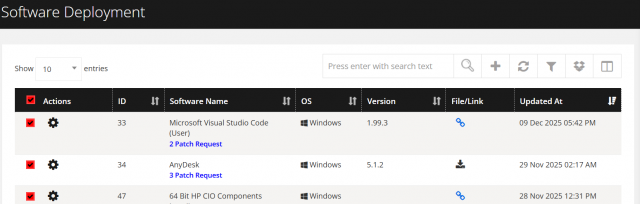
-
Operation Type: Choose a Install or Uninstall.
-
Install / Uninstall As: Choose a Admin User or User (with admin previledge).
-
Need Reboot: Choose a Yes or No.
-
Policy: Select the Policy.
-
Devices / Device Group: Select the device than fill device list or select the group than fill the device group.
-
Retry Operation: Select a value for the number of times a process should be retried.
-
Enable Notification: Choose a Yes or No.
-
Email Address: Select the Yes than Select the email address.
-
Scheduler: Choose a Install after specified time below or Install before specified time below
-
Schedule Date: Choose the Date.